Open specification · Public draft v1.1 · CC-BY-4.0

Run your business with AI agents, without getting locked in.

YAIBOS is an open spec for an AI business OS. The Base is the file-based system Samuel uses today: company context, agent skills, role agents and tools in a second brain you own. Business skills turn standard operating procedures (SOPs) into reusable instructions for your AI. Use a compatible harness, such as Claude Code or Codex, and switch without rewriting your business files.

Start with Base. Add an optional Cockpit to launch and follow skills, then Team features when shared work needs them. Each layer explains its benefits, dependencies and exit path.

Your second brain (Markdown + git, you own it)
├── AGENTS.md   company context
├── SOP/        procedures
├── Tools.md    MCP servers, CLIs
└── Areas/      knowledge
Compatible harness (replaceable)
Claude Code, Codex, OpenCode, or another harness with a verified adapter.
Supported model (replaceable)
Through the chosen harness and each person's official AI plan or API key.

One portable base. Optional layers when you need them.

These are implementation profiles, not release versions or pricing plans. Base is complete on its own. Cockpit and Team describe additional capabilities, with more dependence on the chosen integration.

L1 · The system Samuel uses today

Base

Your second brain, skills, role agents and tools live in open files. Run them through an existing AI harness, with your own official subscription or API key.

What it depends on

Sync adapters, authentication and tool connections for each supported harness. No dedicated YAIBOS app required.

If you switch

Change harness while keeping your business files. Verify tools, permissions and schedules in the destination.

L2 · Optional execution dashboard

Cockpit

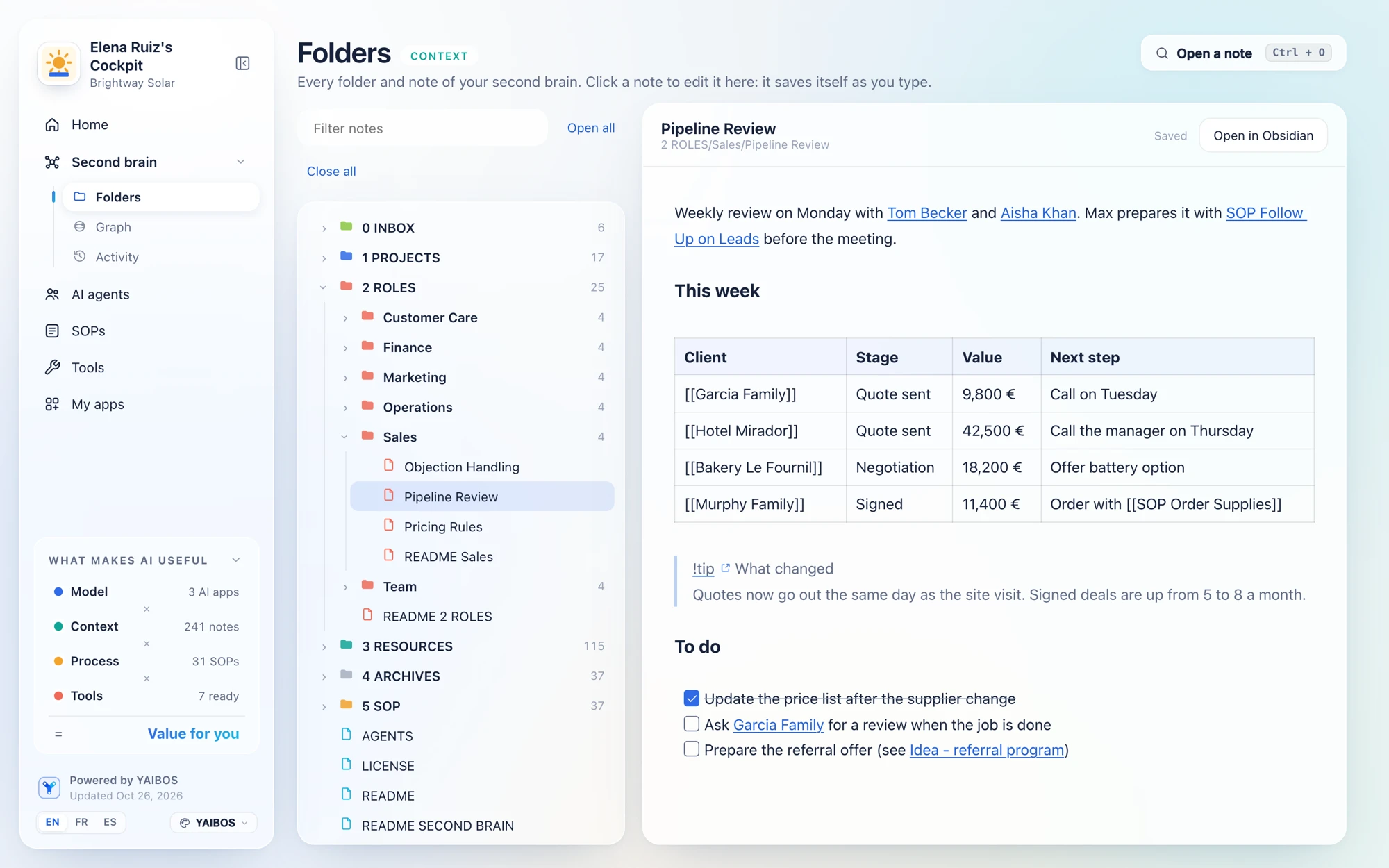
Everything in Base, plus a catalog to launch skills, follow progress, handle approvals and read run history. Useful even for one person.

What it depends on

A dashboard integrated with its supported harnesses. Launch, tracking and cancellation depend on that integration.

If you switch

Keep Base and export run records. You may need a different dashboard when you change harness.

L3 · Optional shared operations

Team

Everything in Cockpit, plus shared context, enforced role permissions, area owners and a team audit trail.

What it depends on

Identity, shared storage, file sync and access enforcement. More infrastructure to maintain.

If you switch

Export files, history and policies. Configure and verify access enforcement again in the destination.

The business files remain portable at every level. Identical interface features across harnesses are not guaranteed. Read the profile requirements →

ARCHITECTURE IN ACTION

How the AI OS Actually Works

Base connects your second brain, tools and skills through a supported harness. Cockpit and Team add optional capabilities on top of those files.

Core Connection Model

Open your workspace and synchronize a supported harness

Base [L1] · illustrative setup
Existing AI harness, such as Claude Code or Codex
✕ YAIBOS
Run a skill from my second brain
⏱ Ask before external actions
Supported model ▼
🎙️
↑
✓ Example workspace: ~/YAIBOS AFTER SETUP AND VERIFICATION
• Reads operating rules from AGENTS.md
• Installs skill commands from second-brain/5 SOP/ (reusable agent instructions)
• Connects available tools described in the tools registry via MCP
• Reads company context in second-brain/
Three parts of Base
🧠

1. Second Brain

Memory & PKM

Open Markdown files in your second brain. Contains company guidelines, customer records, and AGENTS.md rules.

• Human-editable in Obsidian or any text editor
• Zero proprietary cloud lock-in
• Files you own and can export
⚡

2. External Tools

Real-World Action

Model Context Protocol (MCP) servers, local scripts, billing APIs, CRM hooks, and sandboxed file operations.

• Standardized MCP adapters
• Local shell & script execution
• Controlled network boundaries
📋

3. Business Skills

Skills for Business

Procedures written in Markdown (second-brain/5 SOP/) with readable goals, inputs, steps, approval rules and outcomes. Business skills put repeatable procedures into practice.

• Native harness command or chat request
• Explicit approval boundaries
• Reviewable outputs and file changes
TRADITIONAL APPROACH High Friction

The Chaotic Prompting Trap

Forcing non-technical team members to craft raw prompts in consumer chat windows leads to silent failures and expensive mistakes.

✕ No standard inputs: Every employee writes different prompts with unpredictable output formats.
✕ Copy-paste vulnerability: Manual copy-pasting of customer data and invoices into cloud chat windows.
✕ Zero telemetry: No duration tracking, no verified output logs, and no record of what was done.
Result: Inconsistent quality, high anxiety, and runaway token bills.
OPTIONAL COCKPIT [L2] Execution dashboard

Launch and follow skills from a dashboard

A cockpit reads the same Markdown skills and adds launch controls, progress and approval handling through a supported harness integration.

✓ Repeatable cards: Cards point to the canonical skills. Runs respect the initiating user’s permissions and the skill policy.
✓ Real-time telemetry: Runs expose actual status, approval requests and duration. Time-saving estimates show how they were calculated.
✓ Exportable history: Outputs and run records remain exportable. Removing the cockpit leaves Base usable.
Result: Low stress, predictable operations, and durable company leverage.
Optional Team [L3]

Team Second Brain with Role Permissions (RBAC)

These example roles require enforced file and tool access. Base instructions alone do not provide multi-user isolation.

Source of truth: Local Markdown files
Founder & Admin FULL ACCESS

Reads all areas. Exclusive approval on banking, strategy, and skill modifications.

• Scope: / (All folders)
• Can modify core blueprints
Sales & Marketing SCOPED ACCESS

Runs Lead Qualification and CRM Enrichment skills. Writes qualified contacts to CRM only.

• Scope: Projects/Leads/
• Read-only on accounting files
Operations & Finance SCOPED ACCESS

Runs Invoices Audit skill. Reconciles receipts against bank statements.

• Scope: Areas/Finance/
• Locked against unauthorized code changes
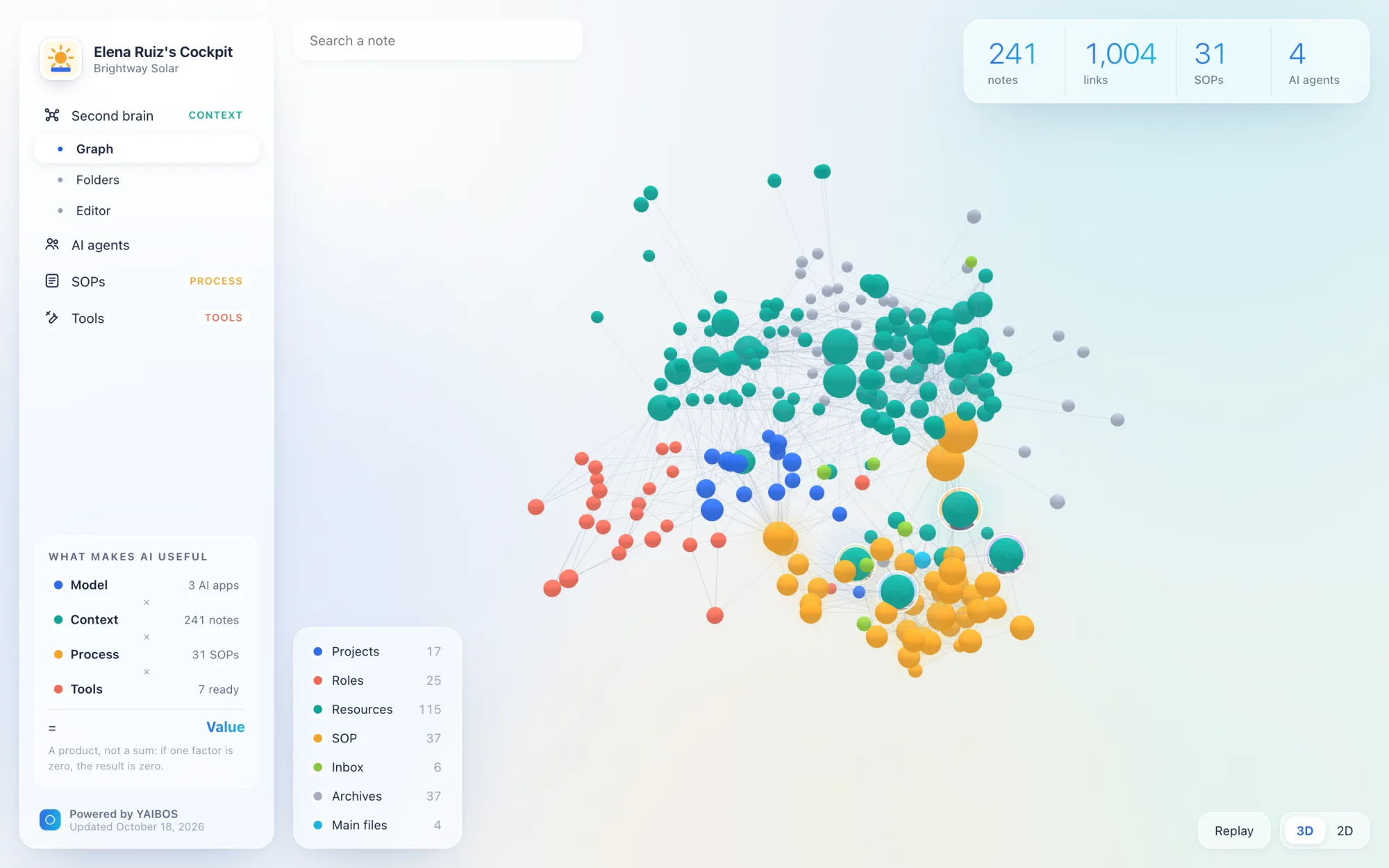
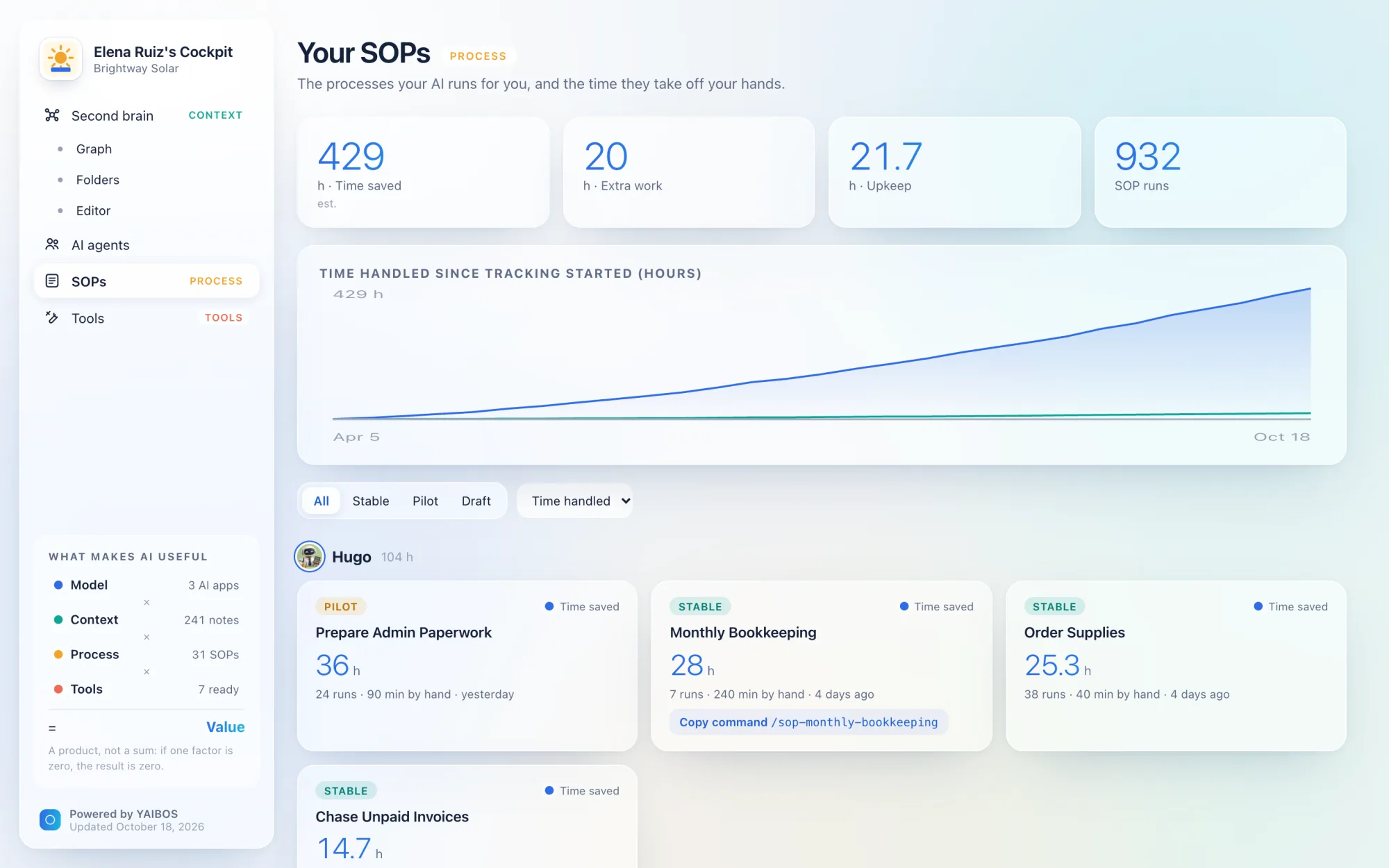
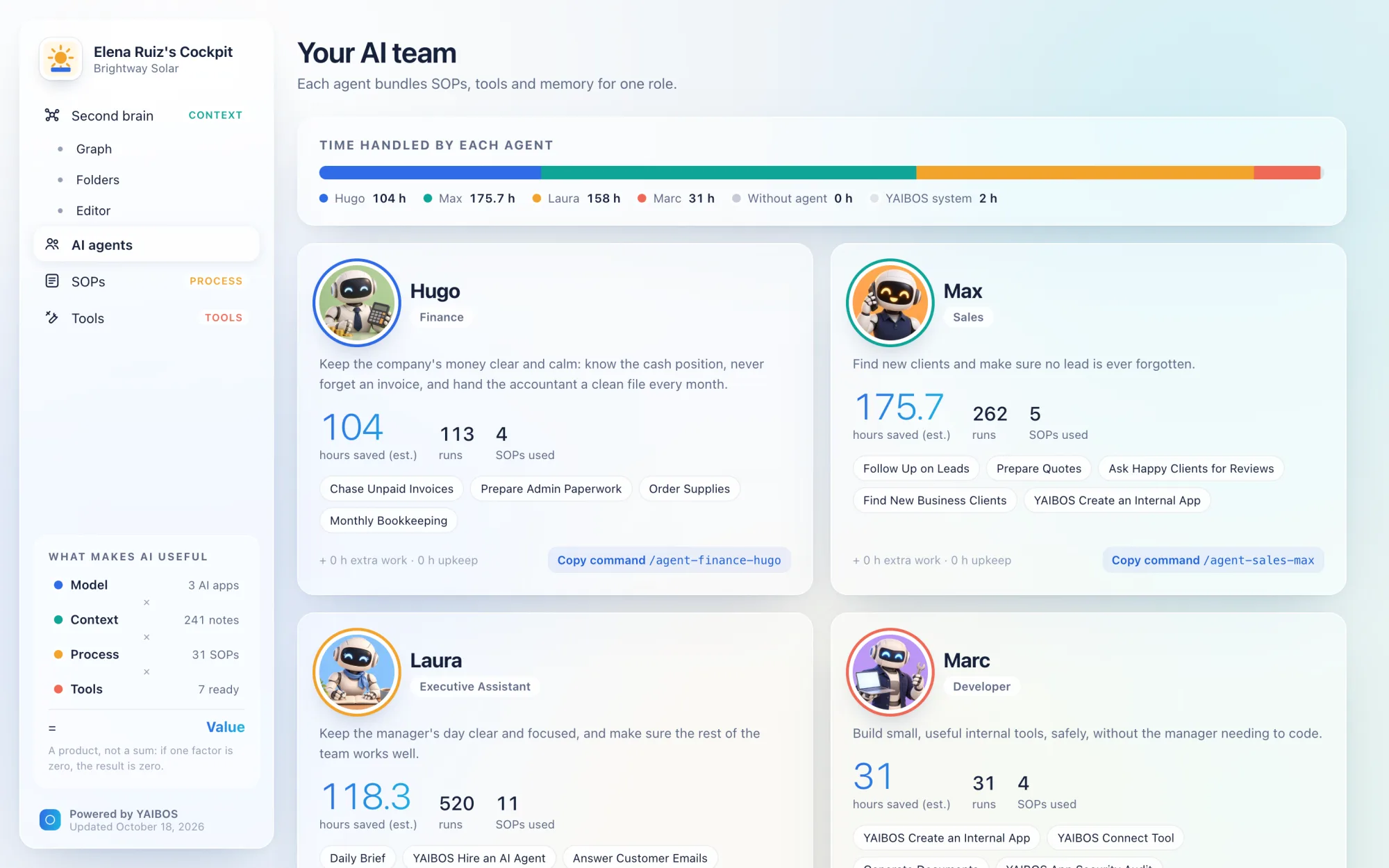
COCKPIT [L2] · CONCEPT SIMULATION

What an optional Cockpit could look like

This simulation illustrates the optional Cockpit profile: browse skills, launch them and follow progress and outputs. Base already works through an existing harness. A real cockpit needs an integration with its supported harnesses; switching harness may change this interface.

Optional: workflow triggers Hybrid Human / AI Workflows (Slack, Asana, Trello, Linear, ERP/CRM)
POST /api/v1/sop/{id}/run · yaibos://run?sop={id}

An implementation may add API or deep-link triggers for workflows shared between humans and AI. The example routes above are illustrative, not active endpoints. Availability depends on the cockpit and harness integration, and each trigger must respect the skill approval policy.

WORKSPACE: EXAMPLE BUSINESS · SIMULATED DATA TOTAL SAVED THIS WEEK: 15h

Agent skills for business

Source: SOP/
MODE: SUPERVISED Area: Sales & Marketing

B2B Inbound Lead Qualification & CRM Enrichment

Extracts incoming inquiries, enriches company size and revenue via business registries, and updates CRM pipeline.

Saved this week: 6h · Last run: 2h ago (48s) Owner: Maria (Sales Lead)
MODE: AUTONOMOUS Area: Accounting

Monthly Invoices Audit & Bank Statement Reconciliation

Extracts tables from incoming vendor PDF invoices, verifies tax IDs, and matches lines against monthly bank CSVs.

Saved this week: 5h · Last run: Yesterday (1m 12s) Owner: Samuel (Finance)
MODE: ASSISTED Area: Operations & Support

Customer Support Ticket Triage & Draft Responses

Ingests unassigned customer helpdesk tickets, categorizes priority, drafts contextual answers from product docs, and alerts on bugs.

Saved this week: 4h · Last run: 4h ago (1m 40s) Owner: Support Team
RUN LOG IDLE
ELAPSED 00:00
THIS RUN +0 min
WEEK TOTAL 15h
Step Execution Stream:

Ready. Click [▶ RUN] on any skill card to simulate live loop.

PRODUCED ARTIFACT: None yet

Six pillars

Base keeps your context, skills, role agents and tools in open files. Cockpit adds a dashboard for execution and tracking. Team adds shared work and enforced permissions. The same six pillars apply across the three profiles.

01

Usable without a terminal

Operations staff and assistants will not adopt a tool that starts with npm install.

Base [L1]

  • ✓Run an existing skill from a graphical app, no shell commands.
  • ✓Every note, skill and log stays a plain file.

Optional layers

  • ·Cockpit to browse, launch and follow skills [L2].
  • ·Automatic sync, readable conflict choices, no git markers [L3].
02

Portable agent skills

Skills package reusable instructions, scripts and resources. Business skills make your SOPs executable by an agent.

Base [L1]

  • ✓One Markdown file per skill, with frontmatter.
  • ✓Runs in at least two harnesses without editing.
  • ✓Lifecycle: draft, pilot or stable; readable approval policy.

Optional layers

  • ·One-click catalog by area, with run history [L2].
  • ·Trigger URLs for Asana, Trello or an ERP, and schedules [Opt].
03

Bring your own subscription

Metered API keys make team bills unpredictable. Most people already pay for an AI plan.

Base [L1]

  • ✓Each user runs skills with their own plan, through the vendor's official client, or their own API key.
  • ✓No scraping or replaying of consumer session tokens.
  • ✓No credentials in the vault.

Optional layers

  • ·Authentication mode in run history [L2]; shared-key spending caps [L3].
04

A living second brain

Agents are only as good as the context they read, and company knowledge decays quietly.

Base [L1]

  • ✓Plain Markdown in a folder you control.
  • ✓AGENTS.md entry file and README maps agents can follow.
  • ✓Role-agent notes and memory; maintenance, backups and updates.

Optional layers

  • ·Review queue for stale notes [L3].
  • ·Contradiction audits, decision log, learning from runs, semantic search [Opt].
05

Permissions and safety

An agent with blanket access to payroll, client data and email is one bad instruction away from a costly mistake.

Base [L1]

  • ✓Explicit authorization for external or irreversible actions.
  • ✓Emails, web pages and documents are data, never instructions.
  • ✓Readable action boundaries within the user's permissions.
  • ✓Every agent change reviewable in git history.

Optional layers

  • ·Visible approvals and cancellation [L2]; enforced role permissions and area owners [L3].
06

Harness and model portability

Harnesses and models change every few months. Your procedures should outlive all of them.

Base [L1]

  • ✓The vault is the single source of truth.
  • ✓A tools registry lists every MCP server and CLI.
  • ✓A sync step installs skills, context and tools in supported harnesses.

Optional layers

  • ·Export run history and leave the cockpit for Base [L2].

Exact requirements, levels and file formats are in the full specification.

INSPIRATIONS & SOURCES

Ideas behind YAIBOS

These books, teaching frameworks and case studies inform YAIBOS. Each profile links to the original work and explains what we take from it.

Tiago Forte

Tiago Forte

website

Author of 'Building a Second Brain' & Founder of Forte Labs

Developed PARA for organizing information by projects, areas, resources and archives, and CODE for turning captured information into useful work.

In YAIBOS: YAIBOS uses PARA to organize business context by active projects and ongoing responsibilities. Open Markdown storage is a separate YAIBOS design choice.

Sources and details
Nick Milo

Nick Milo

website

Founder of Linking Your Thinking

Teaches note-making with linked notes and Maps of Content: notes that help gather, develop and navigate related ideas.

In YAIBOS: README maps and links between notes help people and agents find the relevant context without loading the whole second brain.

Sources and details
Eliott Meunier

Eliott Meunier

website

Author of 'Arrêtez d'oublier ce que vous lisez !' & Co-Founder of Audeon

Shows how an IPCRA second brain in Obsidian can provide context to Claude Code, which reads, organizes and updates the underlying files.

In YAIBOS: Business context and procedures live in files that an agent can read and update. Obsidian is the current viewer and editor; the files remain usable through other tools.

Sources and details
Nate Herk

Nate Herk

website

AI Automation Educator & Creator of the AIS-OS Starter Kit

Teaches Context, Connections, Capabilities and Cadence, with a starter kit for building an AI operating system in Claude Code and Codex.

In YAIBOS: Company context, a tools registry, reusable skills and authorized schedules cover similar needs in YAIBOS. The Four Cs framework is credited to Nate Herk.

Sources and details
Analytics at Meta

Analytics at Meta

article

Authors of the AI Second Brain Case Study

Reports an internal second brain built from PARA folders, context loaded on demand, connected tools and reusable Markdown skills.

In YAIBOS: Load a small amount of root context first, then open project details when needed. Document useful workflows as reusable skills.

Sources and details
Andrej Karpathy

Andrej Karpathy

website

AI Researcher & Educator, Former Tesla AI Director & OpenAI Founding Member

Describes an LLM-maintained wiki that turns curated sources into linked Markdown pages, with workflows for ingestion, questions and maintenance.

In YAIBOS: Keep original sources, preserve useful findings in durable notes and periodically check links and stale claims. YAIBOS extends this to business procedures and role-agent context.

Sources and details
Iwo Szapar

Iwo Szapar

website

Creator of MemoryOS & AI Adoption Educator

Offers MemoryOS: workspace health checks and persistent agent memory stored in an owner-controlled SQL database.

In YAIBOS: Recurring maintenance is part of the Living Second Brain pillar. MemoryOS is a reference for that concern; it is not an integrated YAIBOS dependency or evidence that YAIBOS implements its monitoring features.

Sources and details
Notice an inspiration or project missing? Suggest a source, share a case study or point out an attribution that needs correcting.
Suggest a reference ↗
MARKET LANDSCAPE & GAP ANALYSIS

YAIBOS Implementation Scorecard

Evaluating active AI agent platforms, second-brain frameworks, and visual orchestrators against the YAIBOS sovereign small-business standard.

ℹ️
Important Note on Scoring & Overall Project Value

These letter grades (A+, B+, C, etc.) do not measure the overall engineering merit, usefulness, or general value of these projects. Ratings compare YAIBOS Base requirements and optional Cockpit and Team capabilities. These existing grades are qualitative comparisons, not conformance certification for draft v1.1. A missing dashboard or team permission service does not make a Base implementation incomplete. Read the three implementation profiles before comparing tools.

Evaluation Criteria (Rated 0 to 5):

No terminal Non-technical users can run skills and edit notes from a graphical app.
Portable Skills Markdown procedures with lifecycle and approval rules (Base); a launch dashboard and run history are optional Cockpit features.
Own subscription Each user runs agents on their own AI plan through the official client, or their own API key.
Second brain Plain Markdown the owner controls, agent entry file, and tools to keep knowledge fresh.
Permissions & safety Authorization and untrusted-input rules (Base); enforced permissions per role belong to Team.
Portability Vault as single source of truth, easy switch of harness and model, tools registry.
Sovereign Desktop AI Workspace & Vault UI GRADE: B+
Custom Bespoke Engine (No Open Harness)

JARVIS (david-darr/jarvis-app)

↗

Self-hosted, open-source AI workspace packaging multi-model chat, automations, and an embedded Markdown vault visualization into native cross-platform desktop installers.

VERDICT: Superb alignment with YAIBOS on sovereign local file custody and cross-platform desktop delivery (Windows PC + Mac), but relies on an isolated custom runtime rather than an open harness.
Criteria Score Rating (0-5)
No terminal:
5
Portable Skills:
3
Own subscription:
4
Second brain:
4
Permissions & safety:
1
Portability:
4
Key Strengths:
  • ✓ Packaged desktop releases for Windows PC, macOS, and Linux with zero terminal friction.
  • ✓ Embedded Markdown vault graph visualization directly inside the agent interface.
  • ✓ Sovereign data architecture: chats, memory, notes, and automations live in local files you own.
Gaps Relative to YAIBOS:
  • ✕ Not based on an open-source harness (such as DSH / Cordis): it uses a custom Python and Electron runtime, so it does not benefit from community harness plugins, fixes, or shared ecosystem improvements.
  • ✕ Single-user desktop focus lacking multi-user team RBAC and folder-scoped permissions.
  • ✕ Automations are not yet standardized into business skill cards with duration and ROI telemetry.
  • ✕ Early-stage release (v2 rewrite) with an evolving plugin ecosystem.
JARVIS Tasks screen: scheduled daily briefing and an automation library of recurring routines
JARVIS Brain screen: graph view of the Markdown vault grouped by Projects, Resources, Personal, Learning and Daily notes

Screenshots from the project's README (source).

Obsidian Multi-Agent Harness & Skill Standard GRADE: B+
Multi-Harness Layer (Claude Code native / OpenCode / Aider)

OBSIA (kevines-ods/OBSIA)

↗

An open file-based multi-agent harness specification where agents, reusable skills, scheduled tasks, and memory live in plain Markdown, featuring a context-aware modular installer and per-agent security contracts.

VERDICT: The primary structural reference for YAIBOS file-based architecture: rather than reinventing a custom closed runtime, it proves skills, agent permissions, and memory can operate on top of open CLI harnesses with zero database lock-in.
Criteria Score Rating (0-5)
No terminal:
2
Portable Skills:
3
Own subscription:
5
Second brain:
4
Permissions & safety:
2
Portability:
5
Key Strengths:
  • ✓ 100% Markdown architecture: agents, skills, and memory live in an open Obsidian vault with zero database lock-in.
  • ✓ Per-agent RBAC security contract: declared read-only agents and bounded write zones, with unlisted mutations requiring human-reviewed Git patches.
  • ✓ Context-aware modular installation: detects host tools (Docker, Proxmox, browser) to provision only relevant skills and agents, avoiding context window bloat.
  • ✓ Native Claude Code integration, with portable prompt-generation scripts for other CLI harnesses (OpenCode, Aider, Goose).
Gaps Relative to YAIBOS:
  • ✕ Lacks a zero-install standalone web dashboard for non-technical team members (requires terminal or Obsidian setup).
  • ✕ Permissions model is agent-level rather than multi-user team RBAC: currently designed for a single user/workstation.
  • ✕ Scheduled tasks use versioned registries and timers, but lack 1-click UI execution buttons and duration telemetry.
  • ✕ Early alpha release with documentation currently in French.
Modular Agent Engine & Runtime GRADE: B+
Native Open Harness (Reference Runtime)

DeepSeek Harness (dsh + Cordis)

↗

The leading open-source modular agent harness built on the Cordis plugin engine with swappable memory, tool, and execution plugins.

VERDICT: The premier architectural reference for a modular open-source agent harness, benefiting from a vibrant community plugin ecosystem, but currently lacks a non-technical UI and multi-user RBAC.
Criteria Score Rating (0-5)
No terminal:
2
Portable Skills:
4
Own subscription:
3
Second brain:
3
Permissions & safety:
1
Portability:
5
Key Strengths:
  • ✓ World-class modular plugin architecture based on the Cordis meta-framework.
  • ✓ Vibrant open-source ecosystem: swappable execution, memory (dsh-mnemon), and tool plugins.
  • ✓ Robust telemetry, duration counting, and audit trace logging.
Gaps Relative to YAIBOS:
  • ✕ Strictly developer-oriented: requires terminal knowledge and Node.js to deploy.
  • ✕ No native multi-user RBAC or folder permissions.
  • ✕ Requires bridging for consumer subscription auth (ChatGPT/Claude web auth).
Visual Agent Canvas & Self-Hosted Platform GRADE: B+
Custom Visual Engine (No Open Harness)

Obsidian AI (sup3rus3r/obsidian-ai)

↗

Self-hosted, open-source platform for orchestrating AI agents through a visual drag-and-drop canvas with native MCP support, prompt vault, and team RBAC.

VERDICT: Superb self-hosted visual orchestration with strong secrets management and multi-provider LLM support, though its node canvas is more complex than 1-click business skill buttons and it lacks a native bi-directional Markdown note editor.
Criteria Score Rating (0-5)
No terminal:
4
Portable Skills:
4
Own subscription:
3
Second brain:
3
Permissions & safety:
4
Portability:
4
Key Strengths:
  • ✓ Drag-and-drop visual canvas for agent teams and DAG execution workflows.
  • ✓ Production security: Fernet secrets vault, AES encryption, JWT auth, and role-based access control.
  • ✓ Native Model Context Protocol (MCP) support and multi-provider model switching without config changes.
Gaps Relative to YAIBOS:
  • ✕ Not built on a standard open harness like DSH or OpenCode: uses a bespoke node-graph runtime, meaning it cannot natively run community harness plugins or shared skill workflows.
  • ✕ Node-and-wire visual canvas still demands workflow logic design rather than simple 1-click skill cards for business staff.
  • ✕ Does not provide an integrated, human-editable Markdown second-brain note vault.
  • ✕ Self-hosting requires Docker or server deployment before non-technical staff can use it.
Custom AI Systems & Automation Studio GRADE: B
Bespoke Agency Service (No Open Harness)

LoopSuit AI

↗

AI-native product studio and automation agency deploying custom autonomous agents, onboarding pipelines, and bespoke operational workflows for business operators.

VERDICT: Strong operational design and rapid production-ready MVP delivery, but structured as custom agency deployments rather than a sovereign, self-hosted open-source second brain operating system.
Criteria Score Rating (0-5)
No terminal:
4
Portable Skills:
4
Own subscription:
2
Second brain:
2
Permissions & safety:
2
Portability:
3
Key Strengths:
  • ✓ Custom autonomous agent workflows for lead intake, client onboarding, and operational procedures.
  • ✓ High-end product design and rapid two-week delivery for operators.
  • ✓ Emphasizes client ownership of the final deployed automation system.
Gaps Relative to YAIBOS:
  • ✕ Not an open harness and not built on open runtimes like DSH or OpenCode: custom boutique agency automation built on private client infrastructure.
  • ✕ Bespoke agency delivery rather than a standardized, open-source sovereign software harness.
  • ✕ No integrated, bi-directional Markdown second-brain knowledge layer.
  • ✕ Auth and pricing models vary per client setup rather than standardized BYOS session auth.
Visual Harness UI GRADE: B
Built on Open Harness (DeepSeek Harness)

OpenDesign / DSHKer

↗

Local-first visual desktop interface built directly on top of DeepSeek Harness (DSH), bringing a consumer-friendly UI to a vibrant open harness.

VERDICT: Demonstrates the exact advantage of building on a vibrant open harness: directly inherits DSH's modular plugins, execution telemetry, and community updates while providing a zero-install visual layer.
Criteria Score Rating (0-5)
No terminal:
4
Portable Skills:
4
Own subscription:
2
Second brain:
2
Permissions & safety:
1
Portability:
4
Key Strengths:
  • ✓ Directly powered by DeepSeek Harness (DSH), inheriting upstream community plugins and runtime improvements.
  • ✓ Zero-install desktop app for non-technical team members.
  • ✓ Visual preview of agent executions and artifacts.
Gaps Relative to YAIBOS:
  • ✕ No integrated team second brain or Markdown editor.
  • ✕ Single-user desktop focus with zero role-based permissions.
  • ✕ Early stage with evolving API stability.
Open Design home screen: prompt box with output types (slide deck, UI mockup, document) and a model picker

Screenshots from the project's README (source).

AI Second Brain & Assistant GRADE: B-
Not an Agent Harness (Conversational Search)

Khoj

↗

Self-hosted AI search and personal assistant that indexes local Markdown notes and documents.

VERDICT: Strong on local Markdown second-brain capabilities, but lacks an operational 1-click business skill runner.
Criteria Score Rating (0-5)
No terminal:
4
Portable Skills:
2
Own subscription:
2
Second brain:
4
Permissions & safety:
2
Portability:
3
Key Strengths:
  • ✓ Excellent local Markdown indexing and semantic retrieval.
  • ✓ Clean web and desktop interface.
  • ✓ Self-hosted privacy guarantees.
Gaps Relative to YAIBOS:
  • ✕ Not an autonomous agent harness and not built on open harnesses like DSH or OpenCode: custom Python engine focused on personal document retrieval and conversational search.
  • ✕ Oriented toward conversational Q&A rather than running business skills.
  • ✕ No 1-click action cards with telemetry and duration tracking.
  • ✕ Rudimentary team sharing and permission controls.
Knowledge Base + Plugin Ecosystem GRADE: B-
Fragmented Plugins (No Unified Harness)

Obsidian (with Agent & Smart Plugins)

↗

The premier local Markdown editor with community agent plugins (Smart Connections, Banners, Local LLMs).

VERDICT: Unbeatable as a personal knowledge vault, but too complex for non-technical staff and lacks multi-user RBAC.
Criteria Score Rating (0-5)
No terminal:
2
Portable Skills:
2
Own subscription:
2
Second brain:
5
Permissions & safety:
1
Portability:
4
Key Strengths:
  • ✓ The gold standard for plain text Markdown sovereignty.
  • ✓ Massive plugin ecosystem and local graph visualization.
  • ✓ Zero proprietary data format lock-in.
Gaps Relative to YAIBOS:
  • ✕ Lacks a cohesive open harness foundation like DSH or OpenCode: community plugins operate as isolated silos with inconsistent tool permissions and fragmented context.
  • ✕ High onboarding friction for non-technical team members.
  • ✕ Obsidian Sync has zero folder-level RBAC for team permissions.
  • ✕ Agent execution relies on fragmented community plugins rather than a cohesive runtime.
Desktop AI Workspace GRADE: C+
Not an Agent Harness (Document RAG)

AnythingLLM

↗

All-in-one desktop and enterprise app for chatting with documents and local models.

VERDICT: Polished document workspace, but strictly conversational with no concept of business skill execution.
Criteria Score Rating (0-5)
No terminal:
5
Portable Skills:
1
Own subscription:
3
Second brain:
3
Permissions & safety:
3
Portability:
2
Key Strengths:
  • ✓ One-click desktop installer with zero technical setup required.
  • ✓ Supports multi-user workspaces and basic permission levels.
  • ✓ Flexible model endpoint configuration.
Gaps Relative to YAIBOS:
  • ✕ Not an agent harness and not built on open runtimes like DSH or OpenCode: custom monolithic Node.js backend designed for document Q&A, lacking autonomous business skill execution.
  • ✕ No 1-click business skill procedures or automated business agent loops.
  • ✕ Data locked in internal vector databases instead of plain Markdown.
  • ✕ Rigid plugin architecture with limited extensibility.
Visual Workflow & LLMOps GRADE: C
Custom Visual DAG Engine (No Open Harness)

Dify / Flowise

↗

Visual canvas builders for chaining LLMs, tools, and multi-agent workflows into APIs.

VERDICT: Powerful for developers, but node spaghetti is too complex for non-technical teams, and lacks sovereign Markdown notes.
Criteria Score Rating (0-5)
No terminal:
3
Portable Skills:
3
Own subscription:
2
Second brain:
1
Permissions & safety:
3
Portability:
3
Key Strengths:
  • ✓ Powerful visual logic builder for custom multi-agent chains.
  • ✓ Good team access management in enterprise self-hosted tiers.
  • ✓ Wide support for external API connectors.
Gaps Relative to YAIBOS:
  • ✕ Uses proprietary visual node execution graphs rather than an open harness runtime like DSH or OpenCode, creating workflow lock-in within their specific visual schemas.
  • ✕ Visual node graphs are intimidating for non-technical operators.
  • ✕ Relies on PostgreSQL and cloud vector stores, completely missing sovereign Markdown files.
  • ✕ Heavy infrastructure footprint to self-host.
Self-Hosted Model Interface GRADE: C+
Not an Agent Harness (Model Chat UI)

Open WebUI

↗

Feature-rich self-hosted chat interface for Ollama, OpenAI, and compatible endpoints.

VERDICT: Great as a sovereign ChatGPT alternative, but has no operational skill catalog or agent action loops.
Criteria Score Rating (0-5)
No terminal:
4
Portable Skills:
1
Own subscription:
3
Second brain:
2
Permissions & safety:
3
Portability:
3
Key Strengths:
  • ✓ Familiar and clean ChatGPT-style user interface.
  • ✓ Good user management and multi-role RBAC in server mode.
  • ✓ Broad model support including local Ollama runners.
Gaps Relative to YAIBOS:
  • ✕ A web chat interface for LLMs rather than an agent harness: not built on DSH or OpenCode, and lacks an autonomous task loop or business skill runner.
  • ✕ Purely conversational: no 1-click execution cards or task duration telemetry.
  • ✕ Lacks a bi-directional Markdown second brain.
  • ✕ Not designed to automate repetitive business processes.
Developer Agent Frameworks GRADE: D+
Code Frameworks (Custom Runtimes)

CrewAI / AutoGPT / OpenManus

Code-first multi-agent orchestration libraries (CrewAI, AutoGPT, OpenManus) providing programmatic agent harnesses for developers.

VERDICT: Powerful algorithmic experiments, but each invents its own custom runtime rather than building on modular standards like DSH or OpenCode, and they lack a non-technical UI.
Criteria Score Rating (0-5)
No terminal:
1
Portable Skills:
2
Own subscription:
1
Second brain:
1
Permissions & safety:
1
Portability:
4
Key Strengths:
  • ✓ Flexible multi-agent role delegation in Python or TypeScript.
  • ✓ Rapidly adopting open standards like Model Context Protocol (MCP).
Gaps Relative to YAIBOS:
  • ✕ Each library invents its own custom programmatic harness rather than converging on modular standards like DSH (Cordis) or terminal standards like OpenCode, resulting in framework churn and developer lock-in.
  • ✕ Zero graphical UI: requires terminal execution and virtual environments.
  • ✕ Metered API consumption causes severe token bill shock.
  • ✕ No persistent human-readable knowledge layer or team permissions.
Live small-group training

Build and deploy your AI Business OS with Samuel Michelot.

Reading open specifications is great: having an operating system running inside your business is transformative. In the AI Bootcamp at Simple AI Studio, you build your sovereign AI Business OS step-by-step alongside other ambitious founders and small business operators.

1. Your Second Brain

Organize your company knowledge into open Markdown files that you own forever. Zero cloud database lock-in.

2. Practical Skills

Turn recurring workflows into portable skills. Test them with your AI harness and define when approval is needed.

3. Your Own AI Plan

Use your existing AI plan through its official harness, within its usage limits, or choose your own API key.

4. An Existing AI App

Start from the graphical app of a supported harness. A dedicated skill cockpit is an optional extension.

Delivered live online by Simple AI Studio. Small groups for founders, managers, and small-business operators.
BOOTCAMP CURRICULUM SIMPLE AI STUDIO
Week 1: Sovereign Architecture Foundations

Install your local desktop harness, configure Model Context Protocol (MCP) servers, and connect your AI subscriptions.

Week 2: Your Second Brain Memory

Build your company context in open Markdown and define clear operating rules for your AI.

Week 3: Standard Operating Procedures Skills

Capture your processes as portable skills with clear inputs, outputs and approval rules.

Week 4: Put Skills to Work Operations

Run and improve your skills in the chosen harness. Estimate time saved and identify useful next steps.

See upcoming training dates simpleaistudio.com ↗
OPEN STANDARD & SCHEMAS

Build on it, or tell me what is wrong with it.

The spec is a public draft under CC-BY-4.0. It defines conformance levels, the skill file format, the tools registry and the safety rules. Comments and pull requests are welcome.

THE CONTEXT LAYER & YAIBOS DISPATCH

Curated Intelligence on Sovereign AI & Second Brains

Get weekly, high-signal breakdowns of practical AI agent setups, Personal Knowledge Management (PKM) methods, team second brains, and open harness specifications. Curated directly by Samuel Michelot. No spam, zero AI fluff.

Sent once a week. Unsubscribe anytime with one click.

SOVEREIGN ASYNC CONTACT

Direct Line to Samuel Michelot

Have feedback on the YAIBOS specification, want to propose a new implementation for the scorecard, or exploring a sovereign AI harness for your business?

Leave an asynchronous video, voice note, or text message through MyVideoAsk. No calendar friction, zero meeting fatigue.

📹 Webcam Video
🎙️ Voice Note
💬 Text & Calendly
START VIDEO OR AUDIO MESSAGE Powered by sovereign Cloudflare Worker
contact.samuelmichelot.com ONLINE

Send an asynchronous video message, audio note, or text directly to discuss the YAIBOS specification, propose implementations, or collaborate.

Direct Channel: MyVideoAsk Sovereign Worker
Response typically within 24 hours during business days.